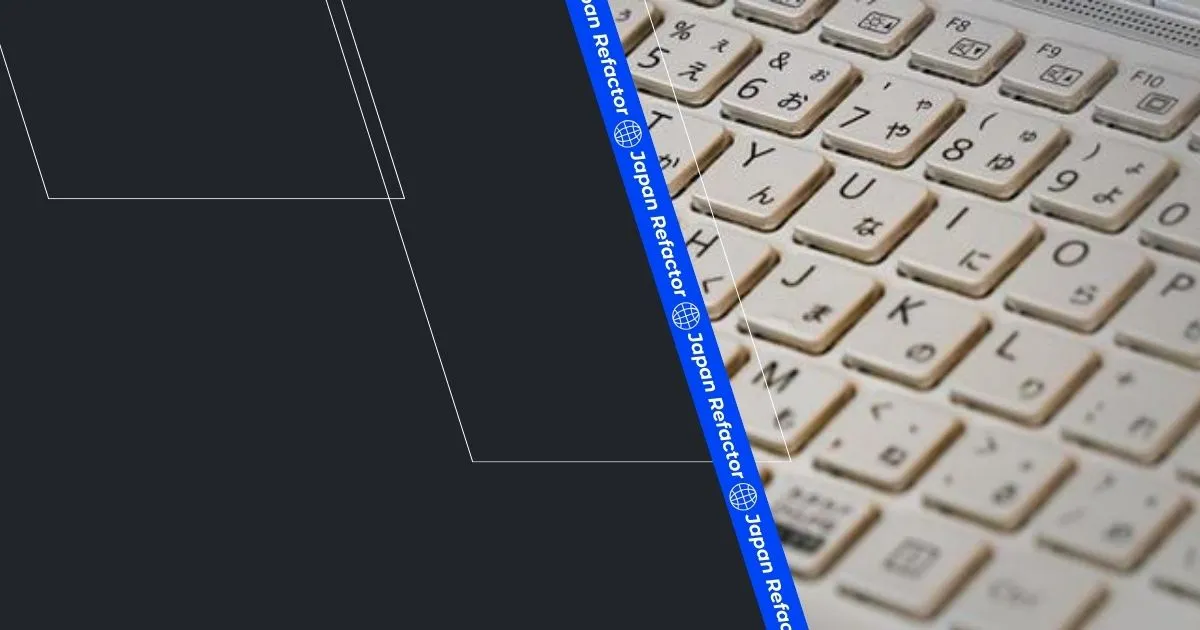

What is the biggest shock for a foreign engineer joining a Japanese company (specifically the traditional large corporations known as “JTC”) on their first day? It isn’t the complex Japanese systems or the rigid office rules. It is the “JIS (Japanese Industrial Standard)” layout keyboard sitting on their desk.
Based on my experience, this guide provides the ultimate typing on JIS keyboard survival strategy. We help devs accustomed to US layouts navigate Japanese keyboard layout Mac and Windows environments to regain their original coding speed.
Below is a quick symbols mapping to find your keys instantly.
Quick Reference: JIS vs. US Symbols
What Is a JIS Keyboard?
A JIS keyboard is the Japanese Industrial Standard keyboard — the default JIS layout issued on nearly every company PC in Japan. Unlike a US (ANSI) layout, it repositions core programming symbols (@, [, ], :, ;) and adds dedicated Eisu/Kana keys around the space bar for switching between English and Japanese input.
If you are lost, use this table to find common programming symbols:
You can remap most symbols to your familiar US locations using Karabiner-Elements (Mac) or PowerToys (Windows) detailed in the setup sections below.
Japanese Keyboard Layout Shock: What Foreign Engineers Face on Day One
In a Japanese office, there is a nearly 100% probability that the company-issued PC (Windows laptop or MacBook) will feature a JIS keyboard as standard. Due to security and asset management policies, many workplaces strictly prohibit bringing in your own personal peripherals.
For many expat developers setting up their work environment in Japan, dealing with unfamiliar hardware is just one of the early hurdles—similar to navigating other setup challenges such as internet delays or finding a reliable “Japanese VPN service“ for accessing global developer resources.
JIS Keyboard Layout vs US Layout: The Symbol Differences That Kill Your Coding Speed
This section breaks down the JIS keyboard layout vs US layout differences symbol-by-symbol, so you know exactly where each key moved.
Typing on jis keyboard can be a major source of frustration for developers raised on the US (ANSI) layout. The biggest difference is the presence of unique keys like “Eisu,” “Kana,” “Henkan,” and “Muhenkan” situated on both sides of the space bar to streamline Japanese input. As a result, the space bar itself becomes extremely short, often triggering accidental typos with your thumbs.
Furthermore, because the Enter key (Return key) is a giant “inverted L-shape” rather than a horizontal bar, it is a daily occurrence to accidentally hit Enter when you intended to hit Backspace (Delete).
The Symbol Shuffle: Where Did the “@” and “[” Keys Go?
The most critical issue for engineers is that the “Symbol Shuffle”—the placement of symbols frequently used in programming—is entirely different from the US layout.
- At sign (@): Usually typed with Shift + 2, but on JIS, it has its own dedicated key to the right of the P key.
- Brackets ([ and ]): These are squeezed vertically next to the Enter key.
- Colon and Semicolon (: and ;): On a JIS keyboard, the semicolon and colon are accessed via dedicated keys and Shift, slightly different from the US layout, so touch-typists need a moment to adjust.
Even a slight lapse in concentration can result in a mountain of syntax errors.
How to Change Japanese Keyboard Layout on Mac (Karabiner-Elements Setup Guide)
Even in a JTC environment where you cannot replace the physical keyboard, there is no need to despair. There are “hacks” to leverage the flexibility of macOS and make a Japanese keyboard layout mac behave like a US layout via software.
Remapping 101: Using Karabiner-Elements to Simulate a US Layout
For Mac-using engineers, the ultimate lifesaver is a powerful remapping tool called “Karabiner-Elements.” This tool allows you to rewrite key inputs at the OS level.
A commonly used configuration profile is titled “For Japanese -> Use Japanese Keyboard as US Keyboard,” which helps engineers adapt the JIS keyboard for touch-typing like a US layout. By enabling this, the OS interprets signals from the JIS keyboard as if they were coming from a US layout. While the printed legends on the keys won’t match the output, any engineer capable of touch-typing can code using the familiar finger movements of the US layout.
Managing the Japanese/English Toggle Without Looking at Your Keys
A rare but powerful advantage of the JIS keyboard is the dedicated “Eisu” and “Kana” keys located on either side of the space bar. Unlike the “Control + Space” toggle, pressing “Eisu” will always switch to English and “Kana” will always switch to Japanese, regardless of your current mode.
By using Karabiner-Elements or standard OS settings, you can keep the US layout base while mapping the left Command (or Option) to “Eisu” and the right to “Kana” when pressed alone. This is the ultimate setup recommended for every engineer working in a bilingual environment.
How to Fix Japanese Keyboard Layout on Windows (PowerToys Setup Guide)
While we have covered Mac, the overwhelming majority of PCs issued in a true JTC environment are Windows. Fortunately, there are powerful approaches for Windows to handle a JIS keyboard as a US layout.
Changing the Hardware Keyboard Layout in Windows Settings
The simplest and most native method is to change the keyboard layout to “English Keyboard (101/102 Key)” in the Windows “Language & Region” settings. If you have administrative privileges, simply changing this in the Japanese language options and restarting will make the system recognize your JIS keyboard as a US layout.
Advanced Remapping: Using Microsoft PowerToys Keyboard Manager
If you cannot change system-wide settings or want to use the “Henkan/Muhenkan” keys like the Mac “Eisu/Kana” keys, using Microsoft’s official utility “PowerToys” is the best practice. The “Keyboard Manager” allows you to remap individual keys freely to correct symbol placement or improve IME toggling.
HHKB Japanese Layout: The Ultimate Keyboard Upgrade for Engineers in Japan
If your company allows BYOD (Bring Your Own Device) or you have secured a full remote work environment, it is time to say goodbye to the flimsy membrane keyboards issued by the company and step into the world of custom mechanical keyboards.
Why Senior Engineers Choose HHKB Over Standard JIS Keyboards
In Japan, when people speak of the “ultimate keyboard for engineers,” it is undoubtedly the PFU “HHKB (Happy Hacking Keyboard).” (For a deep dive into why HHKB is our #1 hardware recommendation for JTC offices, check out our Best Programming Keyboards Guide). Its Topre electrostatic capacitive switches provide a sublime tactile feel, and its minimalist layout has fascinated geeks worldwide.
While the HHKB comes in a US layout, many senior engineers specifically choose the hhkb Japanese layout. This is because, unlike standard JTC keyboards, the HHKB JIS layout is rationally designed within a compact frame, perfectly balancing “programming ease” with the “convenience of independent Eisu/Kana keys.”
Best Shops in Tokyo and Online to Find High-End Custom Mechanical Keyboards
If you want to build your own custom mechanical keyboards for the ultimate typing feel, the best option is to visit “Yusha Kobo” in Akihabara. As Japan’s first specialty DIY keyboard shop, you can physically test switches and keycaps from around the world.
- HHKB & Realforce: For an engineer, a keyboard is not just an input device; it is a “tool for life.” For those suffering from pain in their fingers or wrists due to standard JTC layouts, I want you to experience this top-tier tactile touch. It is well worth the initial investment.
- Custom Keyboard Parts: If you aren’t satisfied with existing boards, start customizing with O-rings for silencing or specialized keycap profiles that fit your fingers. Welcome to the rabbit hole of tuning your layout and feel.
Conclusion: Master the Japanese Keyboard Layout Mac (and Windows) to Regain Your Flow
Despairing over the combination of a JTC-issued JIS keyboard and Windows should only last for your first week. By utilizing OS settings, tools like Karabiner-Elements or PowerToys, or investing in superior hardware like the HHKB, you can enter a “flow state” in the Japanese development scene at the same speed—or even faster—than before.
Action Step: Order Your Favorite HHKB Japanese Layout or Keyboard Accessory Today
If you feel stress during your daily coding, endurance is not a virtue. Investing in excellent tools is an investment in your own productivity and health. Find the keyboard setup that suits you today.
This article is a sub-module of Layer 2. To master the complete technical documentation protocol or explore the entire career blueprint, choose your next destination:
🔼 Back to Layer 2: Deciphering the Specs — Technical Japanese & Legacy Docs (Return to the module overview: Excel-as-IDE, Legacy PDF Archaeology, and Technical Kanji)
🏠 Return to The Engineer’s Blueprint: Decoding Japanese Workplace Culture (Access the Master Manual including Genba Communication, Career Strategy, and Business Etiquette)
📥 DOWNLOAD IT FOR FREE